Make work visible
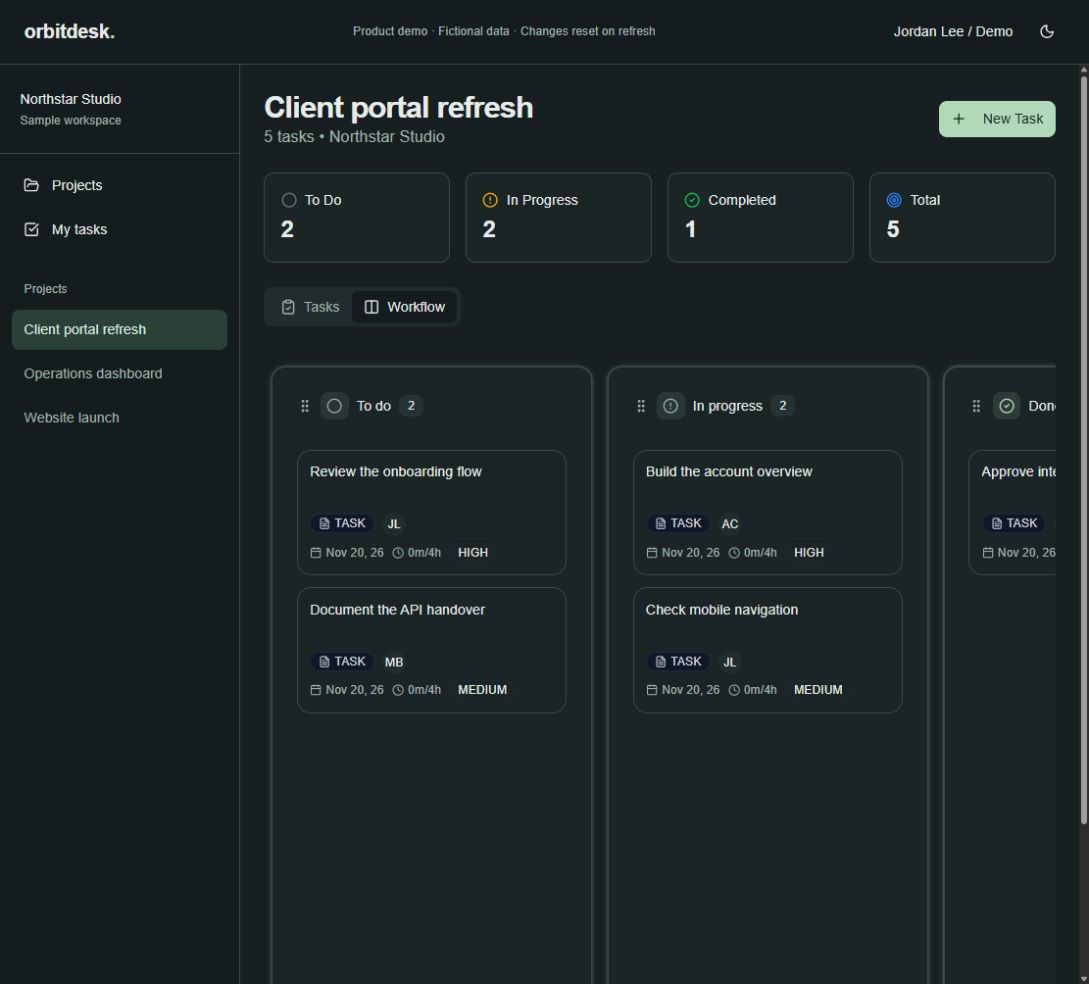
Explore sample projects in board and list views. Open a task to change its status, priority, or assignee and see the workspace update.
Product demo / Case study/2026
Project & Work ManagementA work management demonstration connecting project lists, a task board, and task details with fictional team data.
Interactive product demonstration. All people, organizations, and activity are fictional. Changes reset when the page is refreshed. Demo actions do not send information to clients or external services.
Next.js · React · Interactive demo
01The product challenge
Project information becomes less useful when tasks, ownership, and progress are scattered. A shared workspace should help people find their work, see ownership, and decide where to focus without searching through separate tools.
02Explore the workflow
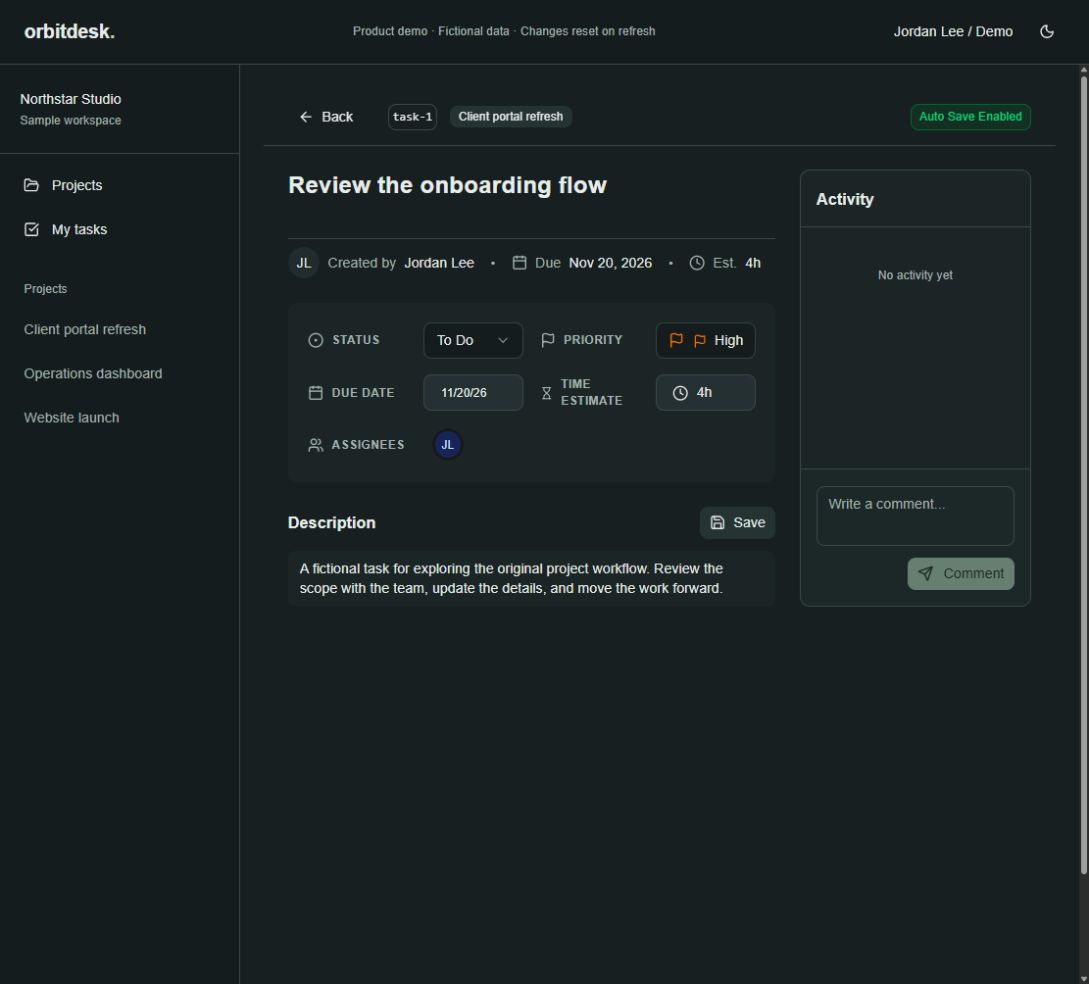
Explore sample projects in board and list views. Open a task to change its status, priority, or assignee and see the workspace update.
Review the task description, due date, priority, and assignees in the task detail page.
Create a task using the task form and see it appear in the current project board.
Start a conversation
Share the problem you’re solving, what exists today, and any priorities. We’ll help you work out the next step.
hello@anchordevstudio.comDesign preview
7 design directions, light and dark.Use the sun or moon in the header to compare light and dark.